Are you planning to start a video editing journey to become a content creator on Youtube or TikTok but have no idea about the best video editing software or you can’t afford to pay for premium software like Premiere Pro in the beginning then you’re in the right place.
In this blog, I’m going to reveal some of the most excellent & free video editing software with lots of premium features to help you through your journey. These tools will be your secret weapons, trust me!! So let’s not elaborate further and dive right into the top five free video editing software options for your PC that will bring your imagination into reality. Get ready to rock!
1. Hitfilm Express
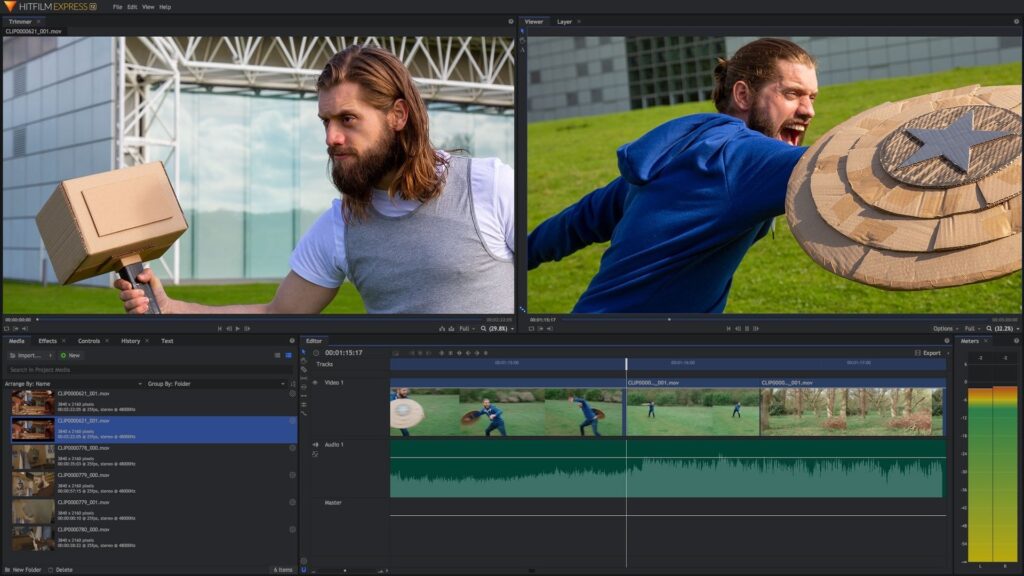
HitFilm is a popular video editing platform for beginners, even though it initially seems quite advanced. This platform is even used to make Hollywood-style movies as it has a lot of 3D effects and other cool features. With its animation tools, you can create a video, edit audio, and make transition effects. You need to share your social media status when you download and start using it but that’s not a big deal considering the benefits you get.
Features:
- Edit videos like a pro with tools for tracking motion, choosing colors, and cropping.
- Create cool video effects by combining two different shots & animating them together.
- Fix shaky footage with an automatic stabilizer.
- Make multiple video and audio tracks in your timeline.
- Easily adjust the length of your clips even after adding them to the timeline.
- Quickly apply the same attributes to multiple clips or your entire project.
- Fine-tune the sound with an audio mixer for high-quality output.
- Variety of transitions, like push, zoom, and dissolve to choose from.
Compatibility: Windows & Mac OS
| PROS | CONS |
| Editing, VFX, and 3D tools | Lacks some advanced features |
| A lot of animation tools | No stock library |
| Powerful presets and Visual Effects | Overwhelming for beginners |
| Supports 3D models import |
2. Apple iMovie
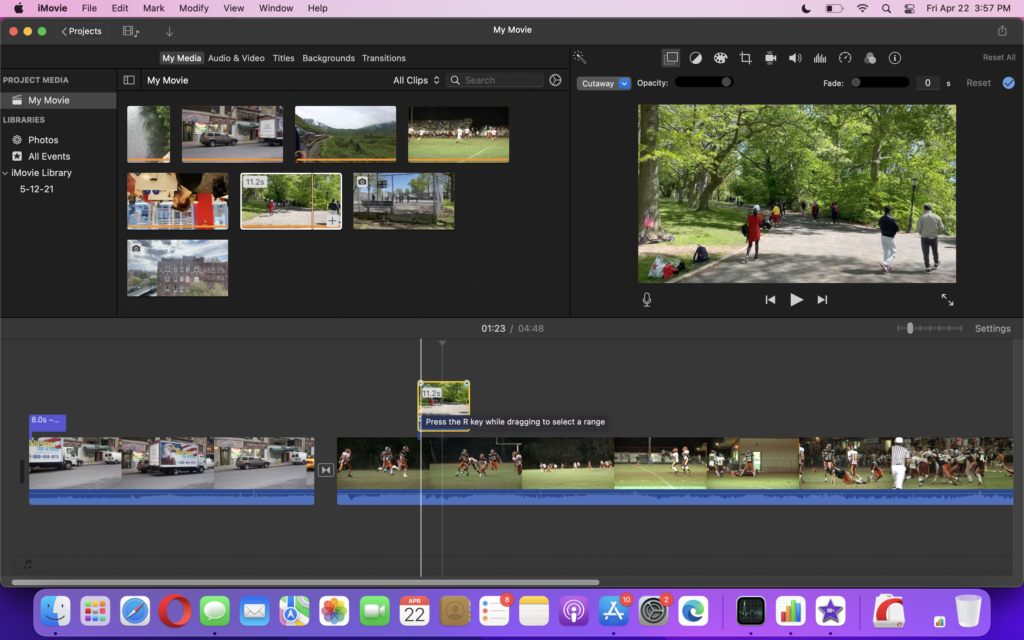
If you’re a Mac user, your device is delivered with a pre-installed video editing software called iMovie. It was initially released in 1999 and has significantly improved its performance and stability over time. You can add titles, music, and various effects to your clip. It even supports 4k UHD videos for outstanding high-quality films. This software is best for beginner filmmakers, freelancers, YouTube/TikTok video creators, or other small businesses.
Features:
- Create top-quality films with support for 4K resolution.
- Access your projects across any of your Apple devices like iPad, iPhone, and Mac through Cloud Storage.
- A wide range of professional-looking title animations to choose from for impressive credits.
- Apply stylish video filters designed for specific film genres, like Western or sci-fi.
- Integrate your sound and picture editing with built-in music, sound effects, and voiceover recording.
- Adjust the speed of your video to create faster action scenes or slower sports highlights.
Compatibility: Mac OS only
| PROS | CONS |
| Cloud storage support | Lacks some advanced features |
| Compatible with all ios devices | Only available with Apple devices |
| Supports 4k UHD resolution | No customization of templates |
| Various professional editing features | |
3. DaVinci Resolve
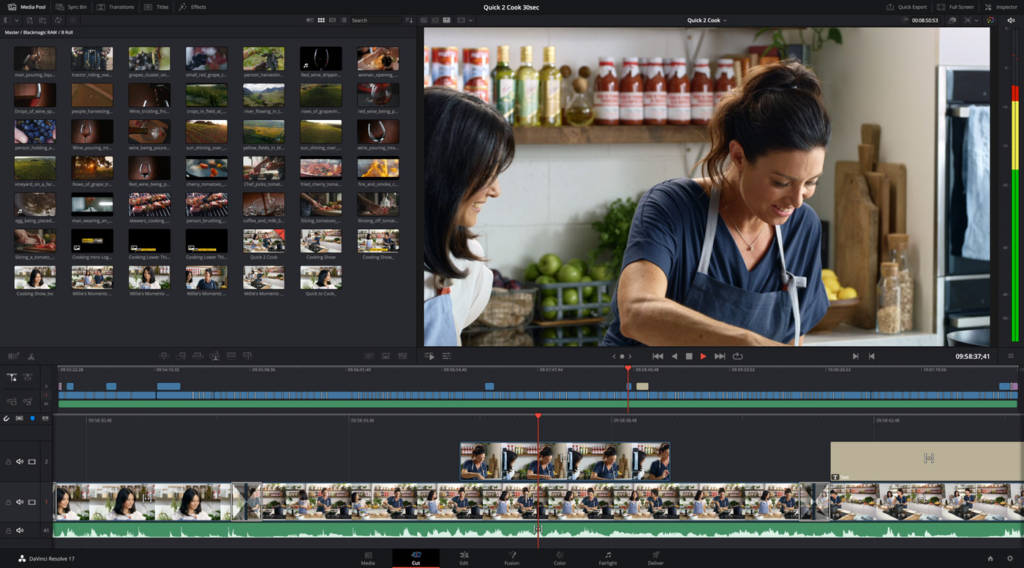
DaVinci Resolve is an amazingly packed free version of video editing software that comes with professional 8k editing, visual/audio effects, color correction, and more in a single tool. This is why DaVinci Resolve has now become a perfect choice for many professional editors.
With this software, you can edit your work both online & offline with its high-performance software engine. It saves a lot of your time and effort in editing heavy files with boring tools. It is undoubtedly the best software for advanced-level editing free of cost.
Features:
- Easy to navigate, cut, and trim your videos with the dual timeline feature.
- Dedicated trim interface for quick editing.
- Automatically sync audio and video clips with superior auto-editing.
- Built-in tools for picture-in-picture effects, retiming, dynamic zoom, stabilization text, and audio.
- Automatically organize your clips based on facial recognition with its Artificial Intelligence.
- Smooth and realistic speed changes and frame rate conversions to your clip.
Compatibility: Windows, Mac, and Linux
| PROS | CONS |
| Advanced video trimming features | Requires better computer hardware |
| Compatible with Mac, Linux, and Windows | Overwhelming for beginners |
| Supports Node-Based Editing | No free stock library |
| Professional level editing | |
4. Lightworks
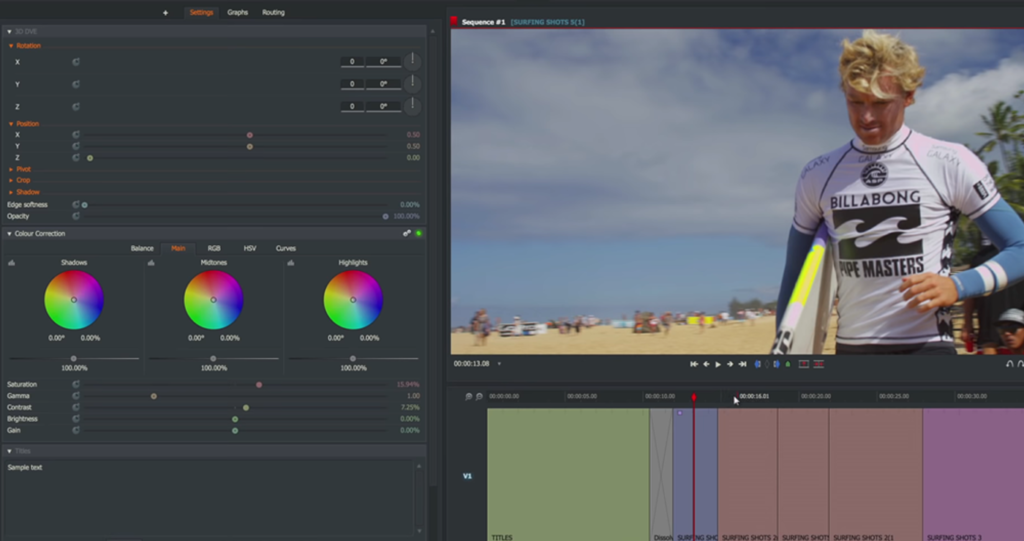
Lightworks is a decent video editing platform for beginners or mid-level professionals who want a simple tool with advanced features included. It comes with cross-compatibility i.e. it works across various platforms like Mac, PC, and Linux. You can correct color, adjust or edit audio, and add titles with its easy-to-use tools. Lightworks is easy to learn and available for free with a suite of royalty-free original stock videos and music clips.
Features:
- Allows you to trim your videos with high-quality and easy-to-use functions.
- Optimize your workflow by editing your videos while importing new content in the background.
- Support multicam editing by syncing clips extracted from multiple cameras.
- Real-time collaboration with team members by sharing projects and controlling editing access.
- Easily share your videos by quick export to popular platforms like YouTube, Facebook, etc.
- Compatibility with different file types.
Compatibility: Windows, Mac, and Linux
| PROS | CONS |
| Customizable & clean interface | Quite laggy in prolonged use |
| Pro-level features included | No 4K supports in the free version |
| Compatible with Mac, Linux, and Windows | Less technical support |
| Pro-level features included | |
5. Shotcut
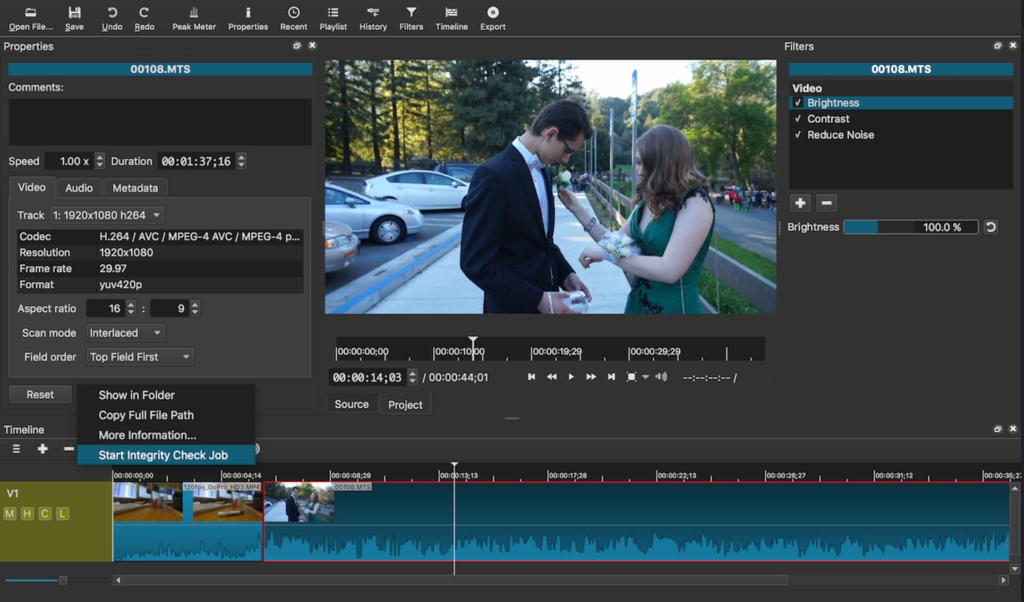
Shotcut is one of the finest video editing software packed with a lot of features in its intuitive interface. It is an open-source platform that allows you to edit your video seamlessly without any fees. The drag-and-drop features with multi-format timelines allow you to mix and match elements like frame rates and resolutions between videos. A professional-grade color correction feature enables you to produce spectacular output. It is best for content creators, social media managers, entrepreneurs, and other professionals.
Features:
- Supports a wide range of formats, including 4K ProRes.
- Capture webcam footage and audio directly within the software.
- Provides audio scopes, mixers, and tone generators for better audio control.
- Collection of a wide range of filters & transitions
- Apply filters and effects for 360º videos.
- Cross-compatible platform
Compatibility: Windows, Mac, and Linux
| PROS | CONS |
| Supports 4K HD resolution | Lacks many pro features |
| Wide range of filters and effects | No free templates |
| Fully open source program | Limited stock library |
| Advanced features included | |
Conclusion
In this blog post, we looked at five outstanding free software solutions for PC users in 2023. You are given the ability to realize your creative visions using these simple instruments, free from any financial limitations. These software applications offer a plethora of features and capabilities, regardless matter whether you’re an aspiring filmmaker, a content developer, or just someone who enjoys editing movies. So explore the world of video editing, let your creativity run wild, and use these incredible free alternatives to produce eye-catching visual narratives. There are countless options available for you. Go ahead!
You can check out This Article to find out the top 5 best photo editing software for you in 2023 if you’d like to.
FAQs Related to Video Editing
1. What is Video editing software?
Video editing software is a program that lets you produce polished and interesting videos by assisting you in trimming, organizing, and adding effects to your project. Companies can benefit a lot from a good video editor by producing powerful video content that influences people.
2. What software do YouTubers or Tiktokers use to edit their content?
Most content creators use Adobe Premier Pro, Adobe After Effects, Lightworks, etc. to edit their projects.
3. Can I use free software programs for professional video editing?
Free video editing software like Hitfilm, Lightworks, etc. provides powerful editing capabilities that can be utilized for professional projects. However, for more advanced features you need to upgrade to paid software options.
4. Which Adobe software is free for everyone?
Adobe Express is available free for everyone which allows you to trim your video and add music and messaging to it. You can also merge and resize video clips in this software.