In this exciting era of digitalization, every picture tells us a story and the magic of photo editing marvelously transforms your precious memories. Many photo editing software have evolved these days that ignite your creativity and make you a credible expert. We have handpicked the five best photo editing software that will boost your skills. The best filters, creative tools, and user-friendly interface in this software are going to offer you limitless possibilities enabling you to paint your imagination.
Let’s Get Right Into The List of Free Photo Editing Software in 2023:
1. GIMP
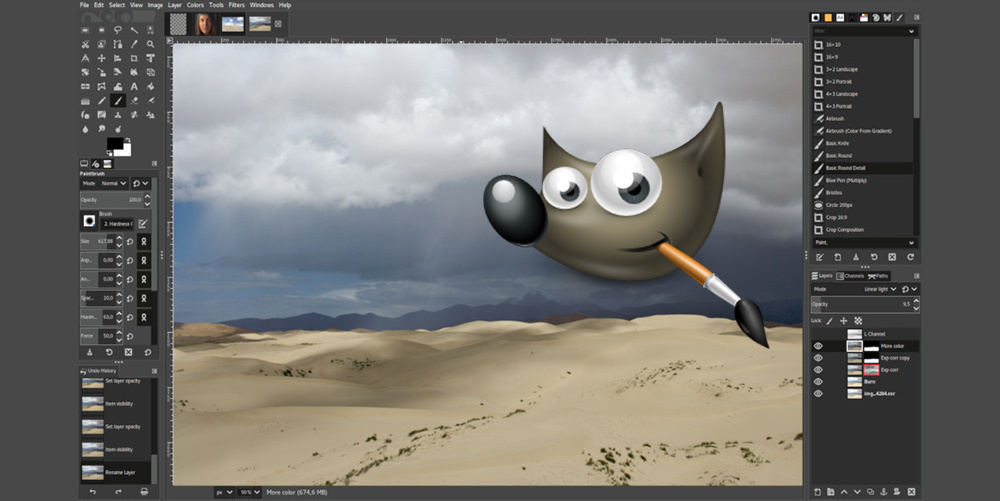
GIMP is a very popular free software choice for photo editing in 2023. It allows you to get an incredible editing journey. With lots of animation filters, brushes, masking, and more one can easily edit their work. It contains advanced tools for editing your photos and documents and provides a customizable interface. Also, it takes up less space in your device and runs smoothly. The GIMP is a perfect choice for editors who want the best features on a free plan.
Features
- Advanced tools for editing your photos like Layers, Masks & filters
- Supports almost all types of file formats including RAW
- A customizable interface that provides a personalized experience
- For function expansion, lots of plugins and extensions are available
- The active user community for technical support
- Regular Updates for performance improvement
| PROS | CONS |
| Professional-level editing | Limited customer support |
| No subscription needed | Overwhelming interface for beginners |
| Compatible with Windows, Mac, and Linux | Lacks advanced features like that in premium software |
| Lots of resources and tutorials for guidance. |
2. Fotor
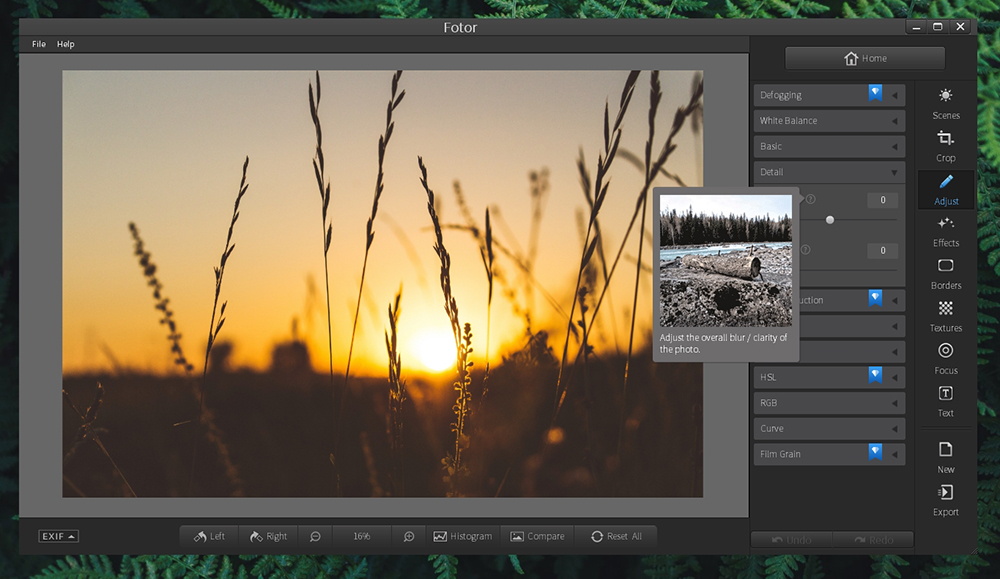
Fotor is a free online photo editing tool to quickly boost your image quality online. It contains a clone brush or healing tool for retouching in a specific area. With high-end filters, you can shine your image with just a few clicks. The easy-to-use interface helps you navigate quickly between all the tools. It has vintage tools, color tweaks, and color adjustments which help you in professional editing. The background removal tools help you to quickly remove the background from a photo.
Features
- Offers plenty of effects and tools like Blur, Exposure, Straighten, Curve, Clone, Reshape, Red-eye removal, etc
- Provides various templates and plugins to advance your editing
- Supports numerous file formats like JPG, JPEG, PNG, PDf, etc
- Active Customer support via chats & contact forms
- Comes with an online version and app as well.
| PROS | CONS |
| Quick and easy to edit images online | Lacks a lot of premium features |
| No subscription needed | No plugins support |
| Compatible with both Windows & Mac | Lacks AI features |
| Exclusive photo effects and tools | |
3. Adobe Photoshop Express Editor
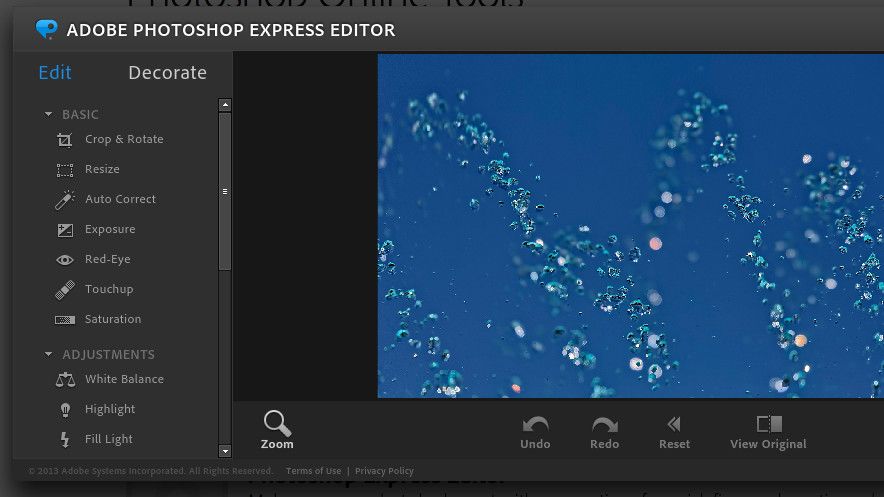
Adobe Photoshop Express Editor is a great application for photo retouching and editing developed by Adobe. This software is used by designers, photographers, content creators, and more professionals. It offers a wide range of tools to enhance editing like spin & path blur, exposure, contrast, level and curve adjustments, and more. This software is a great option for both beginners and professional-level editors who want to enhance their productivity in photo editing.
Features
- Offers aspect ratio, themes, highlights, and smart sharpening filters to enhance your image
- Automatically saves edited images as a cloud.
- Comes with path selection, and color correction features.
- Supports multiple file formats (JPEG, MPEG, MKV, FLV, MOV, and MP4)
- Offers plugins, templates, and great filters
| PROS | CONS |
| Customer support via Chat and Email | Lacks advanced AI features |
| No subscription needed | Overwhelming interface for beginners |
| Compatible with both Windows & Mac | |
| Exclusive photo effects and tools like Crop, correction, and, liquify editing tools | |
4. Photopea
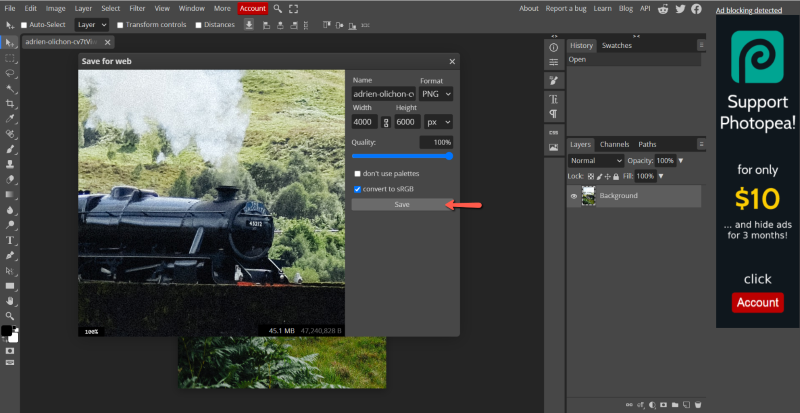
Photopea is a famous web-based photo and graphics editor that is free to use and looks similar to Adobe Photoshop. It comes with a lot of advanced features like layers, masks, various filters, smart object selection, text layers, color correction, and more. The interface looks like the Premium Adobe software and also contains many features of Adobe Photoshop. It is a popular choice for online quick and easy photo editing and lets you edit various formats of files.
Features
- Supports many file formats like JPEG, PNG, GIF, SVG, and PDF.
- Inbuilt layers, masks, and object selection
- Allows you to track changes to your image while editing
- Easily accessible from the web browser
- Supports cloud storage for storing final projects.
| PROS | CONS |
| Integration with social media like Instagram, Facebook, and Linkedin. | Lacks many premium features |
| Web-based editing and free to use | Limited color channels |
| Compatible with both Windows & Mac | Display ads |
| A wide range of tools and effects like Adobe Photoshop | |
5. PhotoDirector Essential
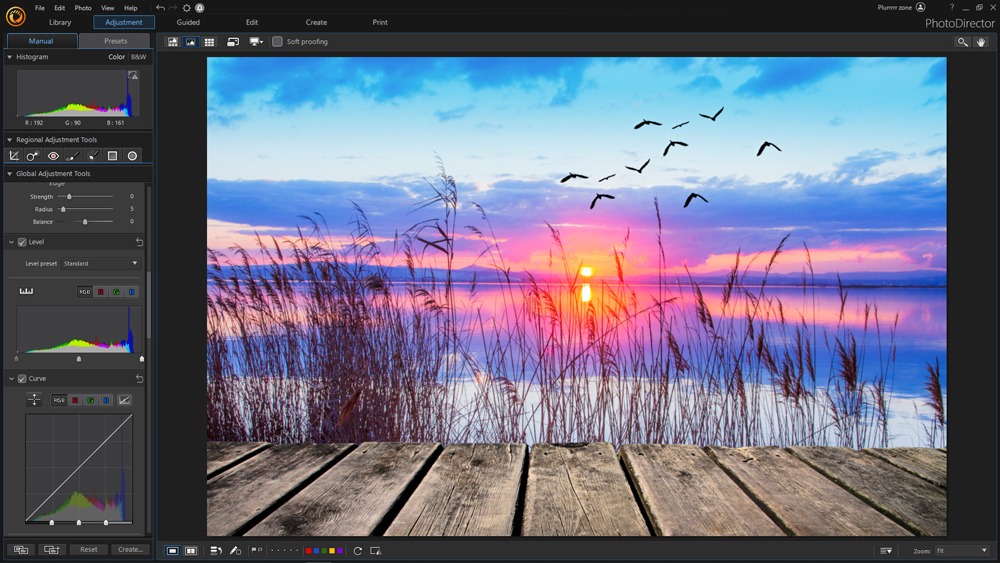
PhotoDirector Essential is one of the great choices for photo editing software that helps content creators edit photos into top-quality masterpieces. It has a lot of tools like object removal, whitening and blur effects, layering, and more. Also, it has integrated AI Tools that make your work much easier. The guided modules in it will help you obtain high-quality photo effects with a few clicks. You get the best features like that of premium software in this software.
Features
- AI tools to enhance your photo to professional-level editing
- User-friendly interface that helps you to navigate between tools easily
- Wide range of features like brightness, contrast, saturation, white balance, noise reduction, layering, curve adjustments, layering, masking, etc.
- Supports editing raw image files.
- Provides tools to animate your photos, slideshow features, etc.
| PROS | CONS |
| Advanced-level editing with AI tools | Limited customer support |
| Object removal and cloning | Available in Windows only |
| User-friendly interface | Lack of updates |
| Free to use | |
Conclusion
We have just completed an extraordinary journey through the world of free photo editing software for Windows and Mac in 2023. These extraordinary tools are a photographer’s and artist’s dream come true, alike. By combining affordability, user-friendliness, and cutting-edge features, they give you the freedom to let your imagination run wild and turn commonplace photos into breathtaking works of art. You are transported to a world of limitless possibilities by user-friendly interfaces and potent editing tools, where you are free to experiment, think outside the box, and add your distinctive artistic flair. So take advantage of this wonderful opportunity, explore these amazing software options, and let your imagination run wild.
I’ve curated a list of some of the finest Video Editing Software for Free in 2023. Feel free to check this out!!
FAQs Related To Photo Editing
1. What is Photo editing?
Photo editing is simply a process to improve the quality of an image so that it looks appealing and aesthetic which involves enhancing, modifying, and improving your pictures by adjusting elements like color, contrast, etc. using some specialized software.
2. What advantages do free photo editing programs offer?
Users can improve and retouch their photos using free photo editing software without having to spend money. It makes powerful editing tools accessible, making it suitable for those on a budget or those just getting started in photography.
3. Can I produce results that look professional using free photo editing software?
Yes, you can use free photo editing software to produce striking and expert-looking results. While more expensive software might have more features and sophisticated capabilities, free alternatives frequently offer a large selection of editing tools that can help you improve your photos to a high standard.
4. What are the limitations of using free photo editing software
Compared to their premium counterparts, free photo editing software could have some limitations. These restrictions may include fewer customization possibilities, a lesser selection of sophisticated features, or insufficient technical assistance. Free software can still offer enough features for the majority of editing tasks, though.
5. How can I make sure that the free photo-editing software I download is secure?
It is advised to download from reliable sources, such as reputed app stores or official websites, to ensure the security of free picture editing software. To lower the danger of malware or other security risks, avoid downloading from unreliable websites.